
General
Unlock Efficiency with BillFoldify’s Invoice Data Extraction
See how BillFoldify extracts invoice and receipt details to reduce manual entry, improve organization, and simplify expense tracking.
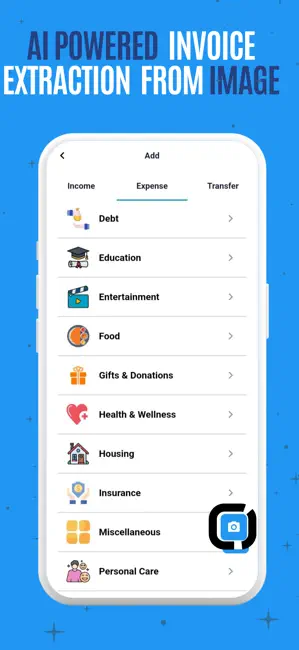
Gone are the days of typing every invoice detail by hand. BillFoldify’s invoice data extraction can reduce repetitive entry, help prevent transcription mistakes, and keep expense records more organized.
Whether you’re a freelancer tracking receipts, a small-business owner managing costs, or an individual organizing personal finances, invoice extraction can simplify the process.
What is invoice data extraction?
Invoice data extraction in BillFoldify uses optical character recognition (OCR) and automated processing to identify details in invoices and receipts. It turns a paper or digital document into structured information that you can review before adding it to an expense record.
Key benefits of invoice data extraction
-
Save time
Upload an invoice instead of typing every date, amount, and vendor name. -
Reduce manual-entry errors
Start with extracted information and compare it with the source document before saving. -
Improve organization
Link invoice details to transactions, categorize expenses, and keep related records together. -
Process supported languages
Extract information from invoices written in languages supported by the service. -
Work with digital and physical documents
Use supported PDFs, scanned images, or clear photos taken with your phone.
How it works
- Upload your invoice. Take a clear photo of a paper invoice, upload a scan, or select a supported PDF.
- Let BillFoldify identify the details. The app looks for information such as the vendor name, invoice date, total amount, and applicable tax details.
- Review and confirm. Compare every extracted field with the original and correct anything that is incomplete or inaccurate.
- Organize and track. Link the invoice to an expense category or budget and save the transaction.
Automated extraction is a useful starting point, not a guarantee. Always review important financial information before relying on it.
Real-life applications
- Freelancers: organize client invoices and expenses for later review.
- Small-business owners: streamline expense management and prepare cleaner records for accounting.
- Individuals: simplify the tracking of utility bills, purchases, and everyday receipts.
Why use BillFoldify for invoice extraction?
BillFoldify connects invoice processing with the rest of its expense-tracking workflow:
- Integrated records: link extracted information to transactions, categories, and budgets.
- Clearer insights: include invoice-backed spending in your overall expense view.
- Protected processing: handle uploaded documents through the app’s secured account workflow.
Only upload documents you are authorized to process. Avoid including passwords, verification codes, full payment-card information, identity documents, or unrelated personal information.
Get started today
Ready to try invoice data extraction? Download BillFoldify and organize invoices alongside your everyday expenses.


Simplify financial organization with BillFoldify—the smart way to track expenses and manage invoice records.